

5 Ways Schools Can Optimize Digital Learning Resource Management
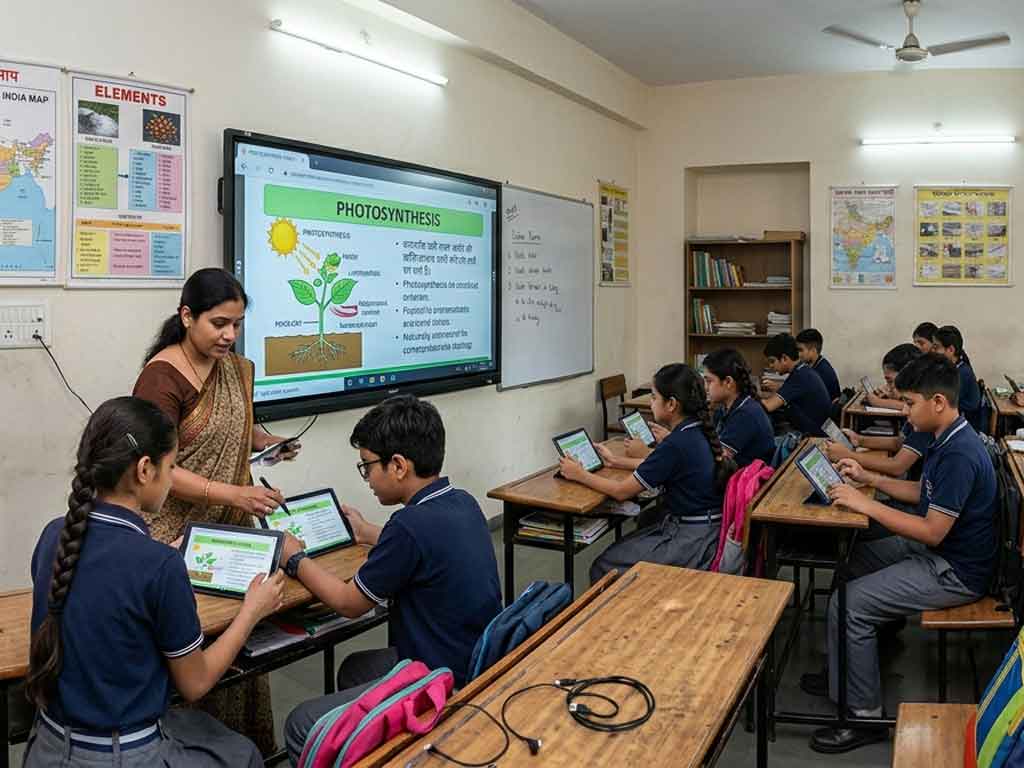
Digital learning has become a cornerstone of modern education, particularly with the rise of remote and hybrid classrooms. This shift was not entirely sudden, but rather a rapid culmination triggered by the global pandemic of 2020. Since the World Health Organization declared COVID-19 a pandemic, the use of digital devices has increased manifold. Internet usage surged by up to 40 percent as communities increasingly relied on virtual services and online platforms to sustain daily activities. Despite the economic challenges posed by the pandemic, digital devices such as smartphones, tablets, laptops, and personal computers became indispensable, reflecting their rapid integration into everyday life.
At present, in education, digital devices play a crucial role in maintaining learning continuity. Learning management systems (LMS) and online platforms must be applied across all levels of education, even in the face of challenges such as device accessibility, limited human resources, and varying levels of computer and internet literacy. Optimizing digital devices allows for effective educational interactions, enabling students and educators to engage meaningfully despite physical and logistical obstacles.
Here are five effective strategies schools can implement:
1. Centralize Resources on a Single Platform
One of the biggest challenges in digital learning is the fragmentation of learning materials. Teachers may use multiple apps, websites, and cloud storage systems, making it difficult for students to locate materials. By centralizing the digital learning assets on a single platform, such as a robust LMS or digital library, schools can:
- Ensure easy access for students and teachers by creating a centralized, well-structured repository where all learning materials are available in one place. This allows users to log in and quickly locate lessons, assignments, and resources without navigating multiple platforms, ensuring a smoother and more consistent learning experience.
- Reducing the time spent searching for files or materials is another significant advantage of centralization. When resources are organized logically with clear categories, tags, and naming conventions, both students and teachers can find what they need within seconds, allowing them to focus more on teaching, learning, and interaction rather than administrative tasks.
- Simplifying updates and version control ensures that all users are working with the most recent and accurate materials. Instead of multiple outdated versions circulating across different platforms, a centralized system allows educators to update content in one place, instantly reflecting changes for all users and minimizing confusion or errors.
Popular platforms like Google Classroom provide central repositories where lesson plans, assignments, and multimedia content can be stored and shared seamlessly. However, for a fully integrated school ecosystem, a more robust, cloud-based digital learning resource management system is essential – one that goes beyond content storage to unify academic, administrative, and communication processes within a single platform.
2. Implement Clear Taxonomy and Organization
A well-structured digital library is only effective if it is easy to navigate. Schools should adopt a clear taxonomy for their digital resources in teaching, including:
- Categorizing resources by subject, grade level, or specific learning objectives helps create a clear and logical structure within the digital system. This allows both teachers and students to navigate content intuitively. For example, a student can directly access materials for a particular subject or grade without sifting through unrelated files. It also ensures that resources align closely with curriculum goals, making teaching more organized and learning more targeted.
- Tagging digital learning resources with relevant keywords further enhances searchability within the platform. By assigning descriptive tags such as topic names, difficulty levels, or content types (e.g., video, worksheet, quiz), users can quickly locate specific materials through simple searches. This becomes especially useful in large digital libraries, where manually browsing through folders would be time-consuming and inefficient.
- Using consistent naming conventions for files and folders brings uniformity and clarity to the system. Standardized naming, such as including the subject, topic, date, or version in file names, makes it easier to identify and differentiate digital instructional materials at a glance. This practice reduces confusion, prevents duplication, and ensures that both educators and students can quickly recognize and access the correct materials without unnecessary delays.
This structured approach minimizes confusion and ensures teachers and students can quickly find the materials they need, even in large resource databases.
3. Regularly Audit and Update Resources
Educational resources can quickly become outdated, especially in rapidly evolving subjects like science and technology. Schools should schedule regular audits to:
- Removing outdated or irrelevant content is essential to maintaining a clean and effective digital learning environment. Over time, unused or obsolete materials can clutter the system, making it harder for students and teachers to find what they actually need. Regularly reviewing and eliminating such content ensures that only meaningful, high-quality learning materials remain accessible.
- Updating materials to reflect current curriculum standards helps keep learning aligned with the latest educational requirements and developments. As syllabi evolve and new concepts emerge, instructional content must be revised accordingly so that students receive accurate and up-to-date information that supports their academic progress.
- Ensuring that all links and interactive study materials are functioning properly is equally important for a seamless learning experience. Broken links, missing files, or non-functional tools can disrupt lessons and reduce engagement. Regular checks help maintain reliability, allowing students and teachers to access study materials without interruptions or technical difficulties.
Periodic auditing not only keeps the resource library relevant but also improves the overall quality of learning.
4. Track Usage and Engagement Metrics
Modern LMS platforms often include analytics features that allow schools to monitor how digital resources are being used. By tracking metrics such as:
- Identifying which E-learning materials are accessed most frequently helps educators understand what content is most valuable or relevant to students. High access rates may indicate effective E-learning materials that resonate well with learners, while rarely used resources may need to be improved, repositioned, or removed altogether to maintain a more efficient system.
- Analyzing the time spent on different learning modules provides deeper insight into student engagement and content effectiveness. If learners spend too little time on a module, it may suggest that the content is too simple or not engaging enough. Conversely, excessive time spent could indicate complexity, lack of clarity, or difficulty in understanding, signaling the need for refinement.
- Evaluating student performance and engagement in relation to specific resources allows educators to measure actual learning outcomes. By linking quiz results, assignment scores, and participation levels to particular materials, schools can identify which study materials contribute most to student success and which ones require revision. This data-driven approach ensures continuous improvement in both content quality and teaching effectiveness.
Administrators can identify which didactic materials are most effective and which may need improvement or replacement. Data-driven decisions help optimize learning and reduce wasted time on underutilized tools.
5. Train Educators and Students Effectively
Even the best digital resources are only as effective as the people using them. Schools should provide training programs for both teachers and students to:
- Learning to navigate the digital resource library efficiently enables both students and teachers to access the right materials quickly and with minimal effort. When users understand how to browse categories, use search functions, and apply filters or tags, they can locate relevant lessons, assignments, and educational resources without confusion. This not only saves time but also creates a smoother and more productive learning experience.
- Using interactive tools and apps effectively is equally important in maximizing the benefits of digital learning. Features such as quizzes, simulations, discussion boards, and collaborative documents can significantly enhance engagement when used properly. Teachers need to be familiar with these tools to design interactive lessons, while students should be guided on how to participate actively, ensuring that technology supports learning rather than becoming a distraction.
- Applying digital learning resources to enhance learning outcomes involves going beyond basic usage and integrating these tools strategically into the learning process. This includes using multimedia content to simplify complex concepts, leveraging data and feedback for improvement, and encouraging self-paced or personalized learning. When digital learning resources are used thoughtfully, they can improve comprehension, retention, and overall academic performance.
Professional development sessions and tutorials empower educators to integrate digital tools seamlessly into their teaching, while students gain the skills to utilize learning resources independently.
Conclusion
Modern cloud-based school ERP solutions such as TulipDesk offer a more comprehensive and integrated approach to digital resource management. These platforms not only centralize academic content but also unify administrative, communication, and operational functions into a single system. With features like online admissions, attendance tracking, virtual classrooms, digital progress reports, and mobile app access, such ERP systems create a fully connected digital ecosystem for schools. TulipDesk enables real-time collaboration among teachers, students, parents, and administrators while ensuring secure, anytime-anywhere access to data through cloud infrastructure.